Google quietly enrolled every Google Workspace and Gmail user in its AI training program without asking. If you have a Gmail account, a Google Docs folder, a Google Drive — your emails, your documents, your files are being used to train Google’s AI. There’s no guarantee of privacy. No guarantee of encryption. At any point, the contents of your inbox could be exposed to Google’s systems, to their contractors, or worse.
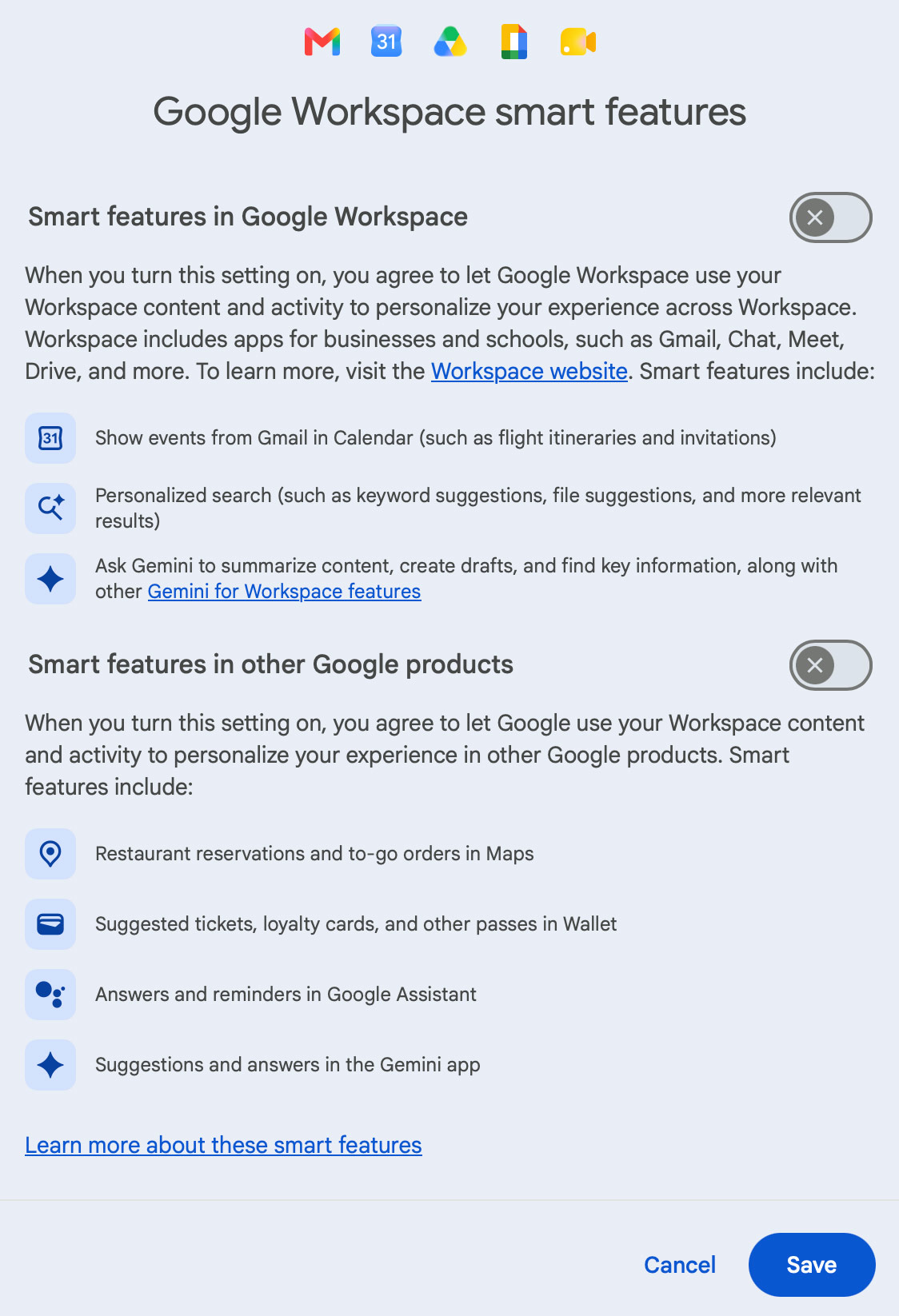
Google calls it “Smart Features” — which sounds friendly. It isn’t. It means Google’s AI is reading your email to “help” you. What it’s actually doing is mining your most private correspondence: medical emails, legal threads, bank statements, therapy notes. All of it, fed into a machine you never agreed to.
The good news: there are two toggles you can turn off right now, and it takes about two minutes.
On desktop (Gmail):
- Open Gmail → click the gear icon (top right) → See all settings
- Stay on the General tab, scroll down to Google Workspace smart features
- Click Manage Workspace smart feature settings
- Toggle off both Smart features in Google Workspace and Smart features in other Google products
- Click Save
On the Gmail app (Android/iPhone):
- Tap the hamburger menu → Settings → pick your account
- Under General, tap Google Workspace smart features
- Uncheck both boxes
And while you’re at it — consider switching to Proton Mail. It’s end-to-end encrypted by default, meaning even Proton can’t read your emails. Which is exactly how email was always supposed to work.